File Management
This page documents file management scripts for organizing and converting computational chemistry files.
File Organization Script
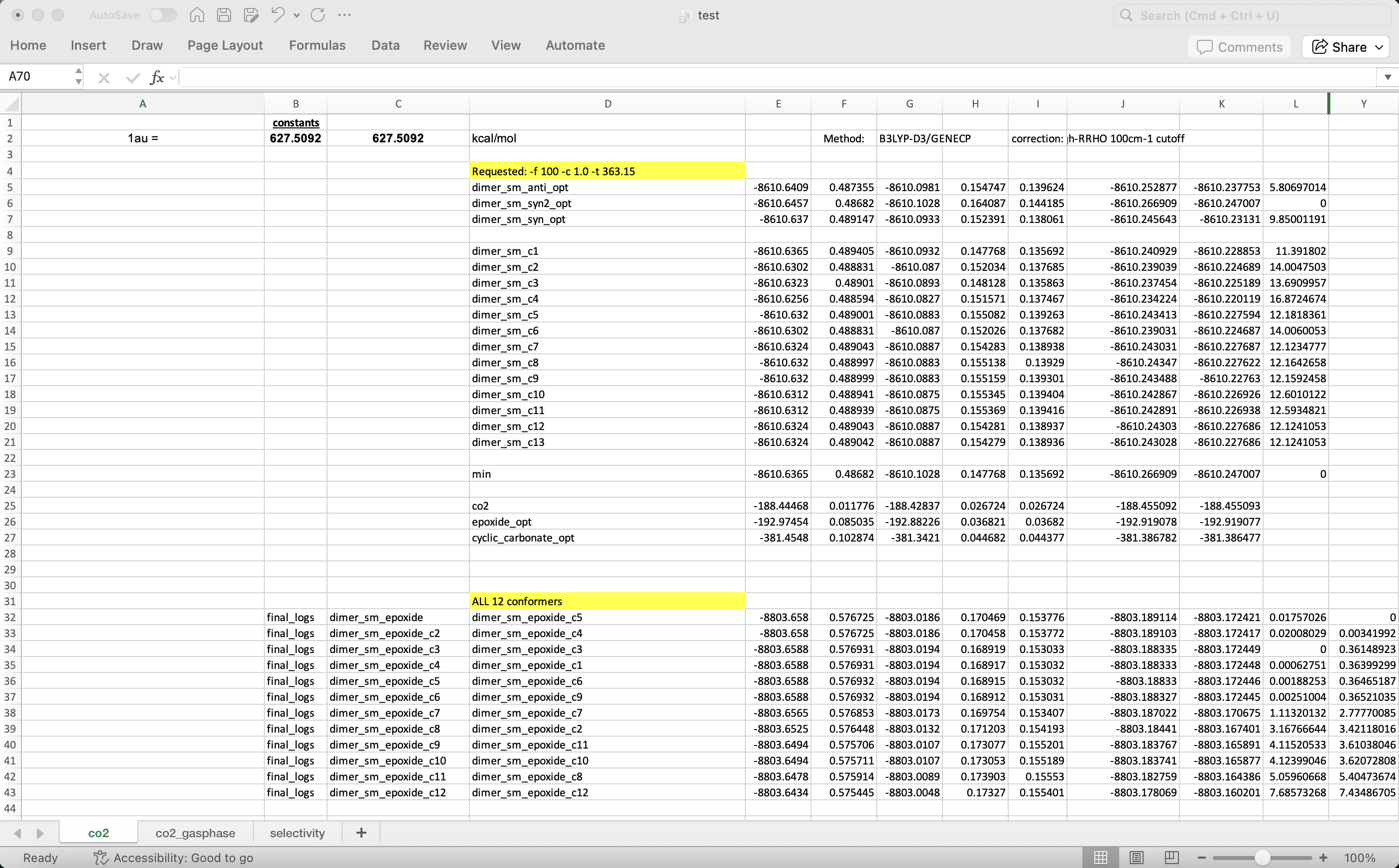
The file_organizer.py script organizes computational chemistry output files based on an Excel spreadsheet. It
creates folders, renames files, and moves them to their corresponding directories.
For this script, -t/--filetype is only a filename-suffix filter. It matches extensions such as .log or .out
and does not inspect file contents or detect whether a file came from Gaussian, ORCA, or another program.
Usage
file_organizer.py [-d path/to/directory] [-f excel_file] [-t filetype]
                  [-n sheet_name] [-c columns] [-s skip_row(s)]
                  [-r organize_row(s)] [--keep-default-na|--no-keep-default-na]
Options
Option |
Type |
Description |
|---|---|---|
|
string |
Directory containing files to organize (default: current directory) |
|
string |
Excel file with metadata (required) |
|
string |
File extension to organize (default: log). This is suffix-based only; the script does not parse file content. |
|
string |
Excel sheet name (required) |
|
string |
Column range for metadata (default: B:D) |
|
int |
Rows to skip at start |
|
int |
Number of rows to process |
|
bool |
Include default NaN values when reading Excel |
Example
Organize conformer files based on an Excel spreadsheet:
file_organizer.py -f test.xlsx -n co2 -c B:D -s 2 -r 45
This skips the first 2 rows and processes up to 45 rows. The script:
Creates target folders if they don’t exist
Copies files with new names to the target folders
Preserves original files
If you set -t out, the script will organize every .out file that matches the spreadsheet mapping, regardless of
whether the file was created by Gaussian, ORCA, or another tool.
File Conversion Script
Prefer the built-in CLI for structure conversion:
chemsmart run convert -i molecule.pdb
chemsmart run convert -i molecule.pdb -o .mol2
chemsmart run convert -d /path/to/dir -t log --output-filetype xyz
See Convert CLI Options and Molecule Input Formats for convert options, supported formats, and the Open Babel write fallback for non-native output types.
The legacy file_converter.py script remains available for the same workflow.
For directory-based conversion, -t/--filetype selects files by extension, while -p/--program is only needed when
CHEMSMART must know which program-specific parser to use.
Usage
file_converter.py [-d path/to/directory] [-t filetype] [-p program]
                  [-f filename] [-o output_type] [-i]
Options
Option |
Type |
Description |
|---|---|---|
|
string |
Directory for batch conversion (mutually exclusive with -f) |
|
string |
Input file type: log, com, gjf, out, inp, xyz, sdf. This filters files by extension. |
|
choice |
Program that produced the files: |
|
string |
Specific file(s) to convert (mutually exclusive with -d) |
|
string |
Output format: xyz or com (default: xyz) |
|
bool |
Include intermediate structures (default: disabled) |
Examples
Single file conversion:
file_converter.py -f co2.log
Output co2.xyz:
3
co2.xyz    Empirical formula: CO2    Energy(Hartree): -188.444680
O        0.0000000000    0.0000000000    1.1630620000
O        0.0000000000    0.0000000000   -1.1630620000
C        0.0000000000    0.0000000000    0.0000000000
Batch conversion of .log file:
file_converter.py -d . -t log -o com -i
Converts all .log files in the current directory to .com files, including intermediate structures.
Batch conversion of .out files (program required):
# Gaussian .out files
file_converter.py -d . -t out -p gaussian -o xyz

# ORCA .out files
file_converter.py -d . -t out -p orca -o xyz